Skip to content
Prompt Mortem

The Graveyard Chat GPT-6.1 Sol Case #010

Published 5 Nov 2026

[Case study] Image

MJ: Rescue Mission Impossiburu

Turning a messed-up Midjourney face into a character design I can actually use.

Foundation model

4 models

Chat GPT-6.1 Sol · Flux .2 Pro · Gemini 3.1 Pro · Midjourney v8

Provider

3 providers

ChatGPT · Midjourney · Gemini app

Recorded cost

USD 1.68

34 credits

Generation clips

10 clips

Resolution

Sizes differ

25 fps

Outcome

Success

The assignment

Objective

Why this rescue?

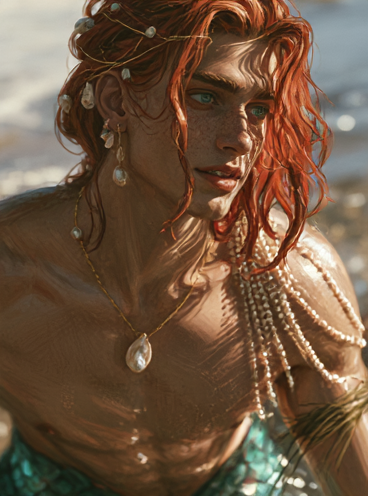
Midjourney gave me a beautiful merman prince. It also gave him skin that looked painted on, dramatic shadows and facial details that needed some help before I could use him as a realistic character reference.

Can I take that promising design through Gemini and Flux.2 Pro and come out with a usable set of character portraits? Meet Arian, 22, merman prince and unwilling participant in several rounds of chin surgery.

The assignment

I wanted the enchanting beauty of Ariel as a young man: copper-red hair, sea-green eyes, pearls and delicate jewellery. Someone beautiful enough to belong in a fairy tale, with a face that still feels alive. The goal was a distinctive character I could develop further, including frontal, three-quarter and profile references that felt like the same person.

First, give him a personality

Let’s create a character design brief for Arian, a 22-year-old merman prince. I’m imagining the enchanting beauty of Ariel as a young man, adorned with pearls and delicate jewellery. I want him to feel realistic and alive, with expressive features, natural skin texture and a distinctive face full of warmth and personality. His beauty should feel magical while remaining believable.

The brief gave Arian an openly curious nature, an impulsive smile and a youthful face with natural texture. His copper-red hair carried tiny pearls on fine gold wire. A baroque pearl hung from a slender necklace, with seed pearls draped across one shoulder and mismatched earrings. His turquoise tail completed the design.

Expected outcome

The workflow

  1. Develop the character brief with an LLM.
  2. Generate candidates in Midjourney.
  3. Choose a design worth rescuing.
  4. Upscale and refine it in Gemini.
  5. Use Flux.2 Pro in ComfyUI to generate reference views.
  6. Select the strongest results.

The Midjourney audition

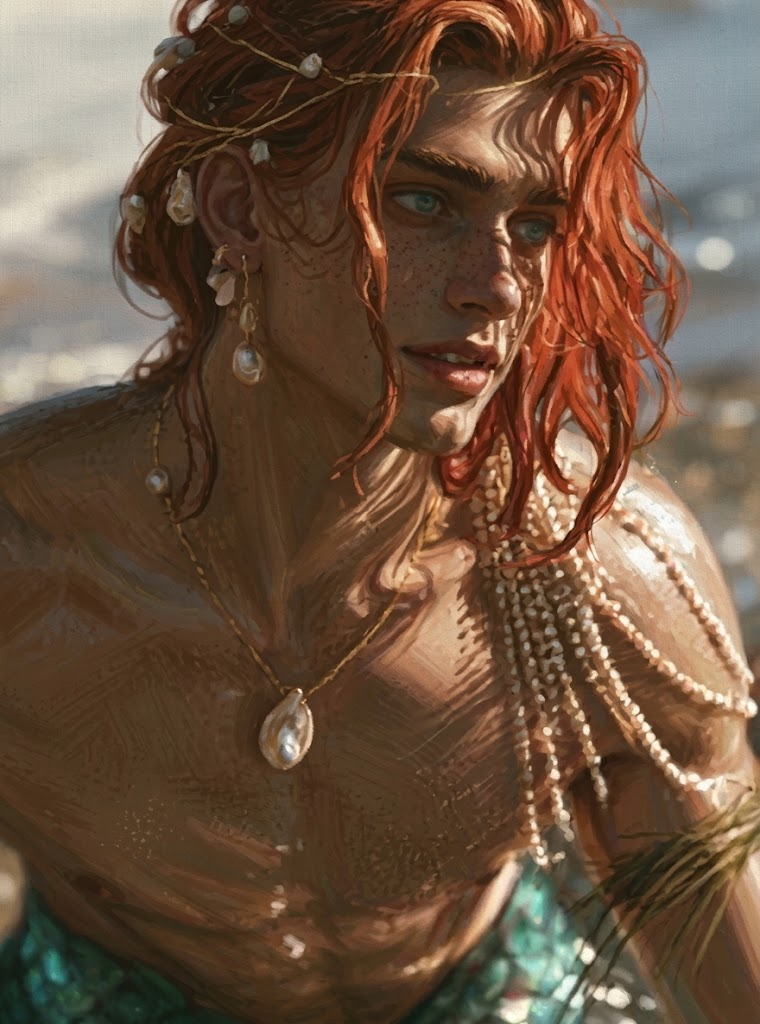
From the 24 images shown in the contact sheet, I shortlisted four. For an easy life, I could have chosen one of the cleaner portraits. Instead, I chose #11, with strong shadows and conspicuously painterly rendering. This was supposed to be a rescue challenge. Apparently, I took that personally.

The design had something worth keeping: red hair, green eyes, elaborate pearls and an expressive face. The challenge was translating it into realism without losing its appeal. The contact sheet represents multiple outputs; the shortlisted portraits are selections from it, not separate documented jobs.

// Generations

Attempt 01

Character design brief — Arian, 22

  • Image generation

Chat GPT-6.1 Sol · ChatGPT · USD 0.00

Input / Instructions

Original prompt

Let’s create a character design brief for Arian, a 22-year-old merman prince.
I’m imagining the enchanting beauty of Ariel as a young man, adorned with pearls and delicate jewellery. I want him to feel realistic and alive, with expressive features, natural skin texture and a distinctive face full of warmth and personality. His beauty should feel magical while remaining believable.

Generated result

Arian is a 22-year-old merman prince, with an enchanting, youthful beauty and an openly curious nature. He watches the world with bright interest, his regal upbringing occasionally betrayed by an impulsive smile. His face has softly defined cheekbones, a graceful jaw and full lips that lift unevenly when he smiles. Sea-green eyes, subtly different in shape, sit beneath expressive brows. Fine freckles scatter across his nose and cheeks. Visible pores, faint shadows beneath his eyes and a gentle flush give his skin a living texture. Thick copper-red hair falls in loose waves to his shoulders. Some strands curl around his ears and brush his cheeks, while others hold tiny, irregular pearls threaded onto fine gold wire. His hair looks heavier and darker where it is damp. He has a lean, athletic build, with graceful shoulders, a lightly defined chest and long, elegant hands. Small opalescent scales emerge along his hips, deepening into an iridescent turquoise tail. Its translucent fins carry hints of sea-glass green and rose. His jewellery is delicate and personal. A slender gold chain follows his collarbones, carrying a single baroque pearl. Fine strands of seed pearls drape lightly across one shoulder. Mismatched pearl earrings, a narrow sea-grass arm cuff and a few finely worked rings suggest pieces collected over time. Each ornament responds naturally to gravity and movement. For his first portrait, Arian sits in a shallow tidal pool, turning towards someone just beyond the camera. His lips are slightly parted, caught between a question and a smile. Soft coastal daylight reflects from the water onto his face, revealing freckles, individual lashes and the quiet lustre of the pearls. The defining impression is luminous beauty, warmth and curiosity—a fairy-tale prince whose face feels human enough to remember.
Technical record

Text stage. Model label supplied by the author: ChatGPT GPT-6.1 Sol Light. Exact catalog model not available; association omitted.

Recorded response

Raw response
Arian is a 22-year-old merman prince, with an enchanting, youthful beauty and an openly curious nature. He watches the world with bright interest, his regal upbringing occasionally betrayed by an impulsive smile.
His face has softly defined cheekbones, a graceful jaw and full lips that lift unevenly when he smiles. Sea-green eyes, subtly different in shape, sit beneath expressive brows. Fine freckles scatter across his nose and cheeks. Visible pores, faint shadows beneath his eyes and a gentle flush give his skin a living texture.
Thick copper-red hair falls in loose waves to his shoulders. Some strands curl around his ears and brush his cheeks, while others hold tiny, irregular pearls threaded onto fine gold wire. His hair looks heavier and darker where it is damp.
He has a lean, athletic build, with graceful shoulders, a lightly defined chest and long, elegant hands. Small opalescent scales emerge along his hips, deepening into an iridescent turquoise tail. Its translucent fins carry hints of sea-glass green and rose.
His jewellery is delicate and personal. A slender gold chain follows his collarbones, carrying a single baroque pearl. Fine strands of seed pearls drape lightly across one shoulder. Mismatched pearl earrings, a narrow sea-grass arm cuff and a few finely worked rings suggest pieces collected over time. Each ornament responds naturally to gravity and movement.
For his first portrait, Arian sits in a shallow tidal pool, turning towards someone just beyond the camera. His lips are slightly parted, caught between a question and a smile. Soft coastal daylight reflects from the water onto his face, revealing freckles, individual lashes and the quiet lustre of the pearls.
The defining impression is luminous beauty, warmth and curiosity—a fairy-tale prince whose face feels human enough to remember.
Selected #11 from a 24-image contact sheet after shortlisting four portraits.

Attempt 02

Midjourney — contact sheet and four shortlisted candidates

  • Image generation

Supporting evidence

  • All 24 generated images — contact sheet

    Supporting evidence · PNG · 2048×1840 · 6.66 MB

    Download original

  • Shortlisted candidate 1

    Supporting evidence · PNG · 368×496 · 287 KB

    Download original

  • Shortlisted candidate 2 — grid #10

    Supporting evidence · PNG · 368×496 · 298 KB

    Download original

  • Shortlisted candidate 4

    Supporting evidence · PNG · 368×496 · 305 KB

    Download original

Technical record

Model settings

raw
true
stylize
75
aspect_ratio
3:4

Archive of multiple outputs, not one documented provider run. Midjourney version, job boundaries and seeds were not supplied. Contact sheet and other shortlisted outputs included as supporting evidence. Original filenames and metadata removed.

Larger output retained the painterly appearance.

Attempt 03

Gemini — initial upscale

  • Image generation
Generated 760×1024 Reference 368×496

Reference 368×496

Generated 760×1024

Technical record

Gemini app with 3.1 Pro selected in the UI. The underlying image model was not identified, so no image-model association is asserted.

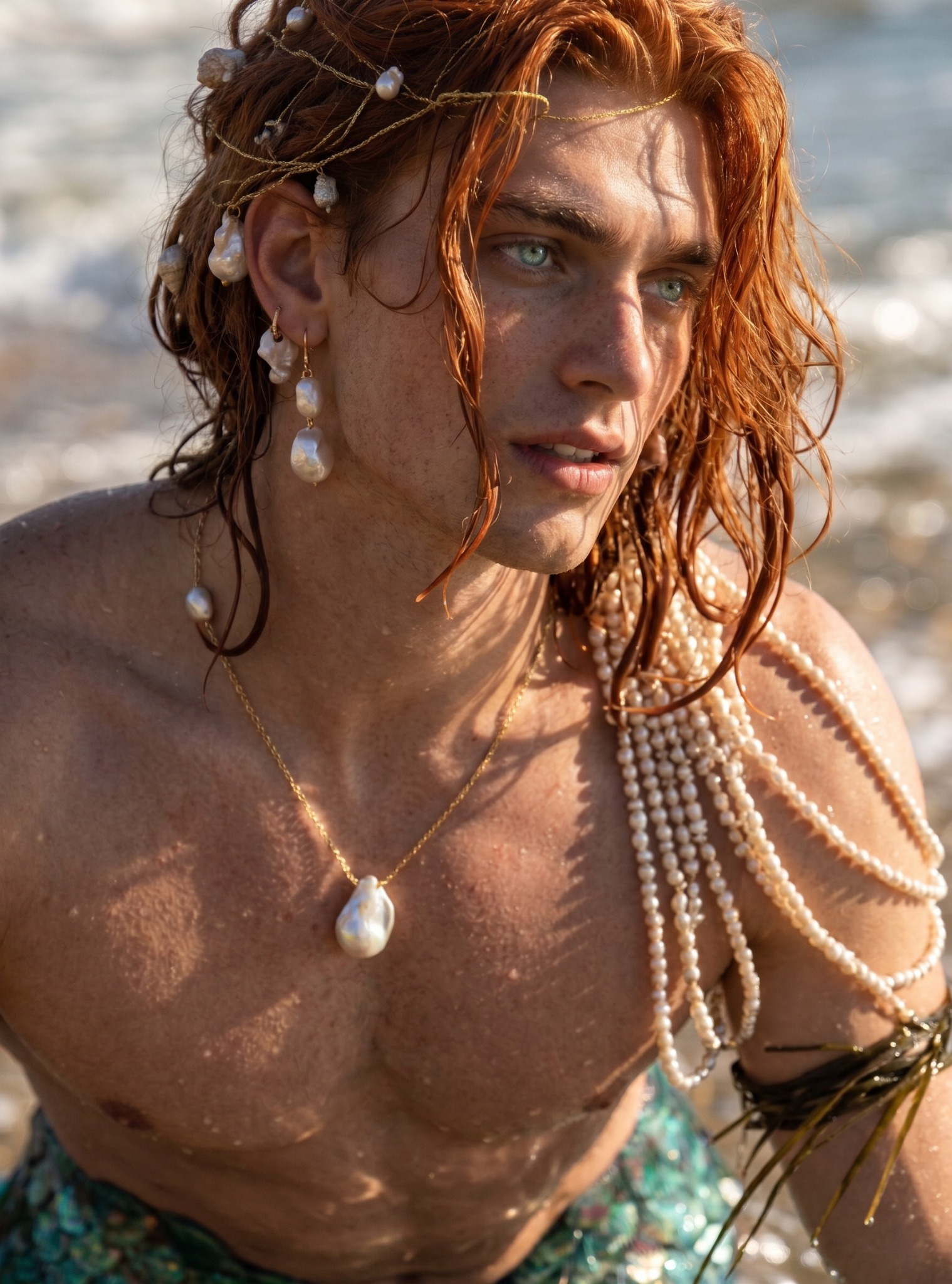
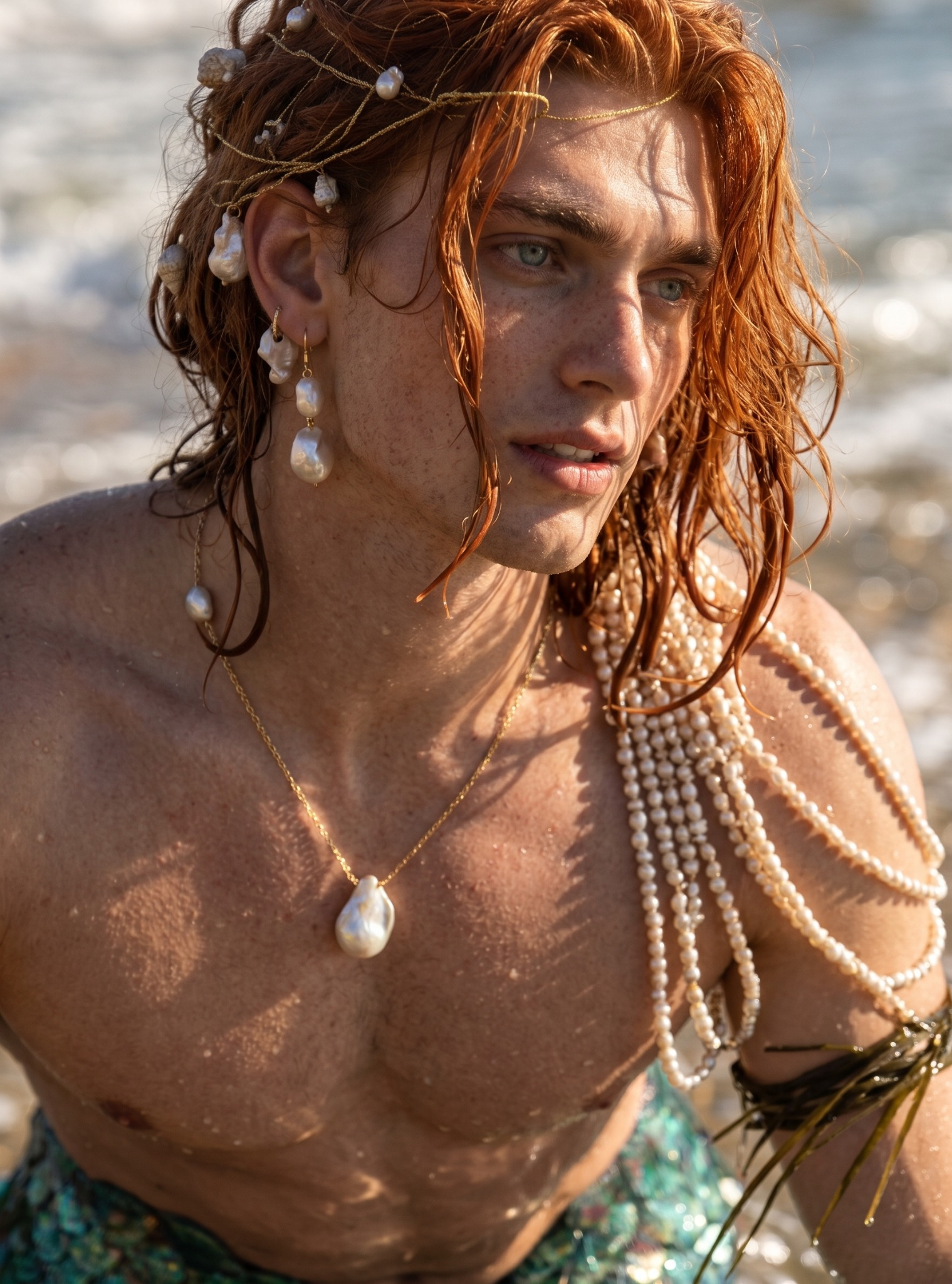
Photographic rendering improved, while the face became rounder and the nose more balanced.

Attempt 04

Gemini — realism pass

  • Image generation
Generated 1519×2048 Reference 760×1024

Reference 760×1024

Generated 1519×2048

Technical record

Gemini app with 3.1 Pro selected in the UI. The underlying image model was not identified, so no image-model association is asserted.

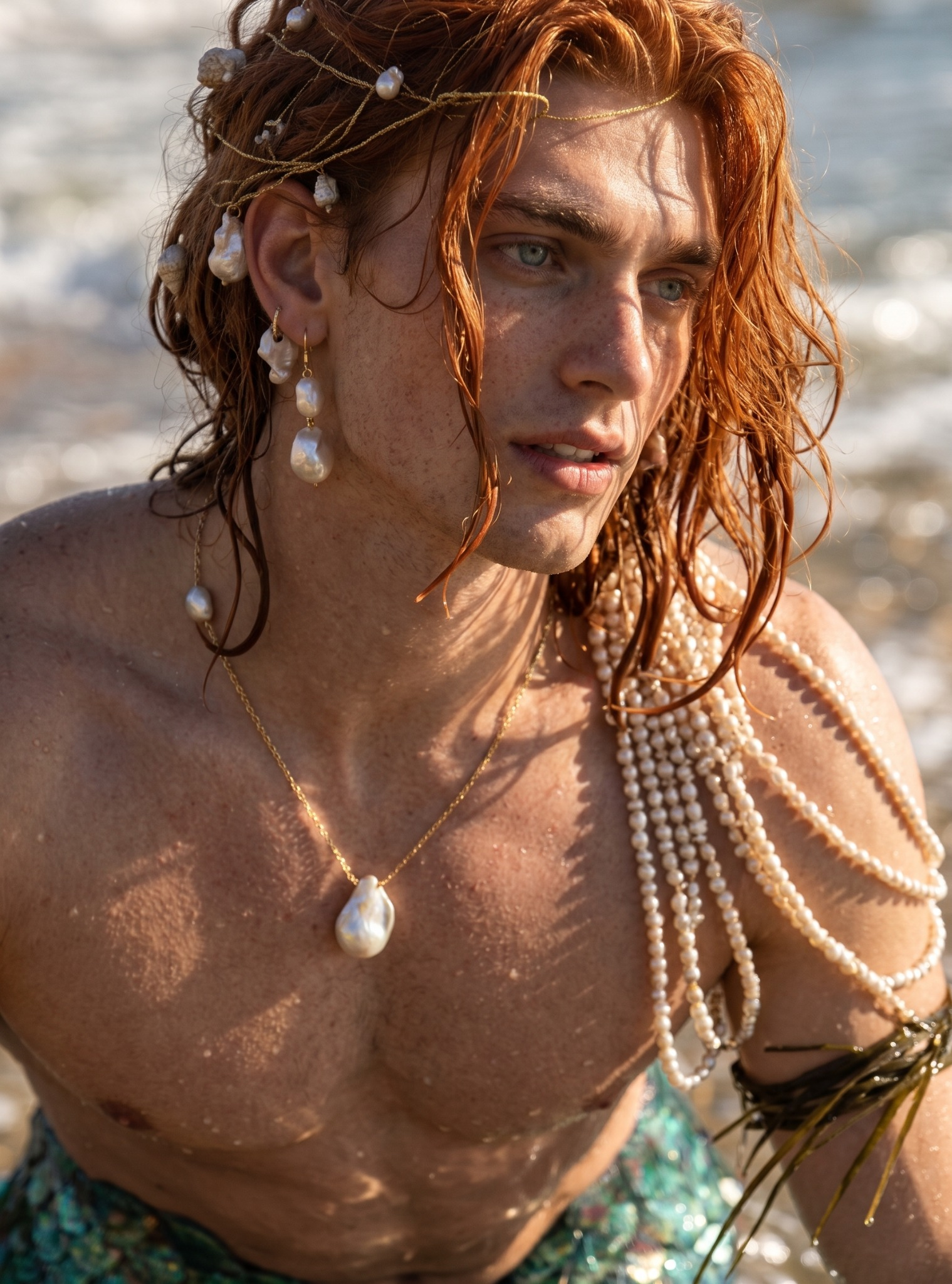
Eyes became more striking; this is the eye-enhancement stage.

Attempt 05

Gemini — more striking eyes

  • Image generation
Generated 1519×2048 Reference 1519×2048

Reference 1519×2048

Generated 1519×2048

Technical record

Gemini app with 3.1 Pro selected in the UI. The underlying image model was not identified, so no image-model association is asserted.

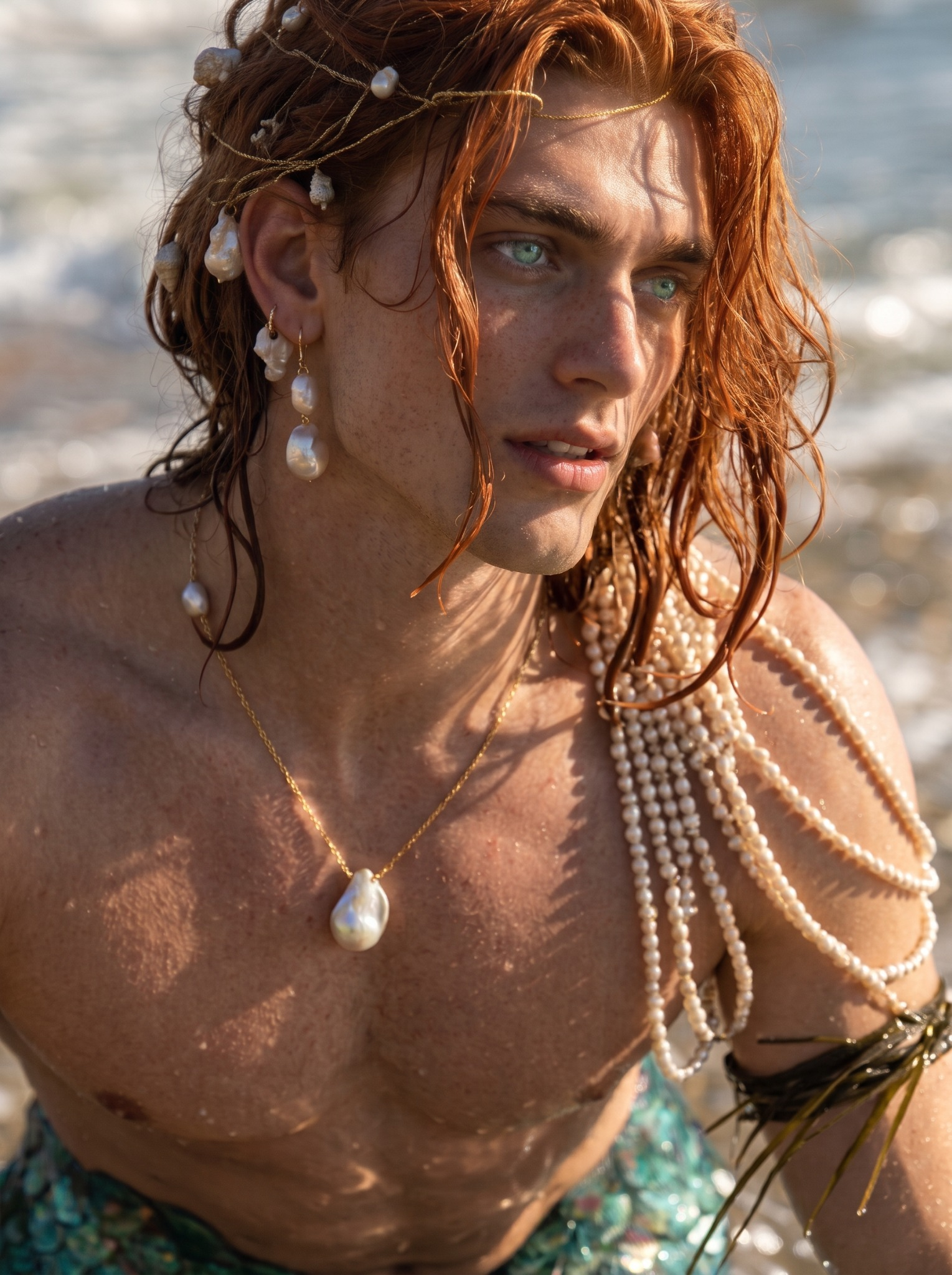
The narrower-face request produced a chin the author considered too strong.

Attempt 06

Gemini — narrower face, stronger chin

  • Image generation
Generated 1529×2048 Reference 1519×2048

Reference 1519×2048

Generated 1529×2048

Technical record

Gemini app with 3.1 Pro selected in the UI. The underlying image model was not identified, so no image-model association is asserted.

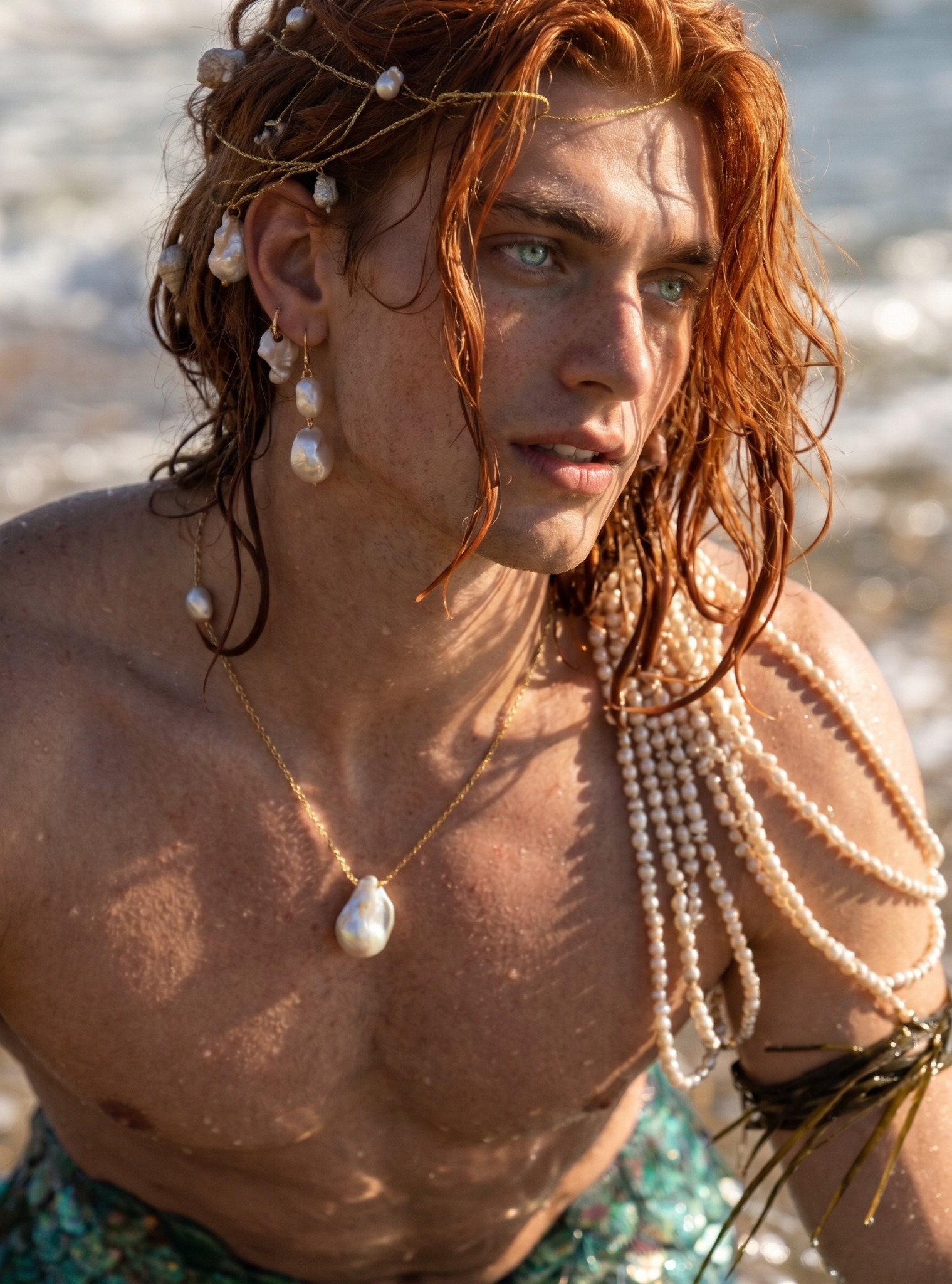
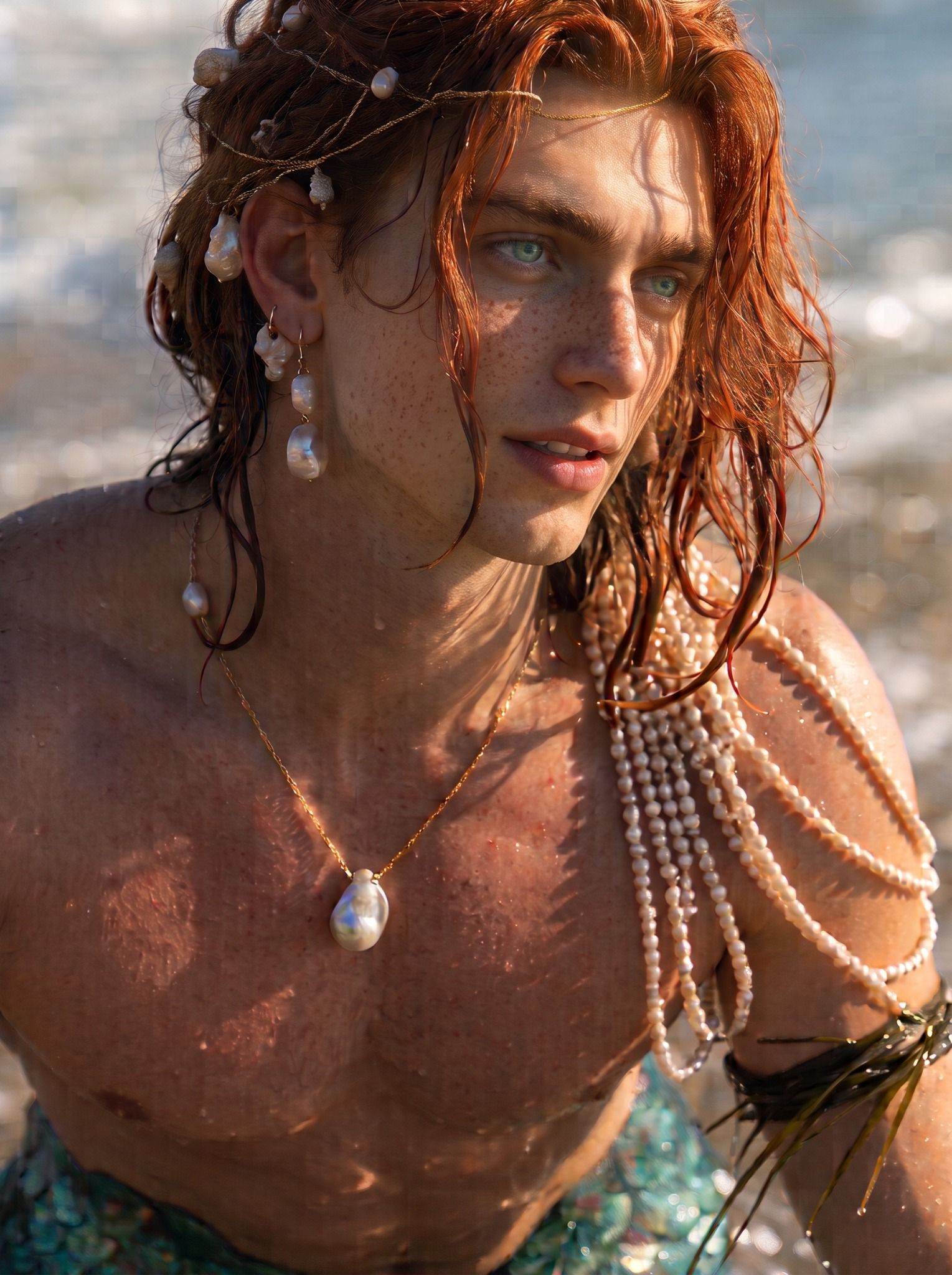
Selected Gemini portrait used as the source for the Flux reference views.

Attempt 07

Gemini — selected result after further refinements

  • Image generation

Technical record

Gemini app with 3.1 Pro selected in the UI. The underlying image model was not identified, so no image-model association is asserted.

Selected from roughly 3–4 attempts for this angle. Credit cost is for 3.5 attempts

The author selected this result. Complexion varies across the set; frontal view is the base for further character development.

Attempt 08

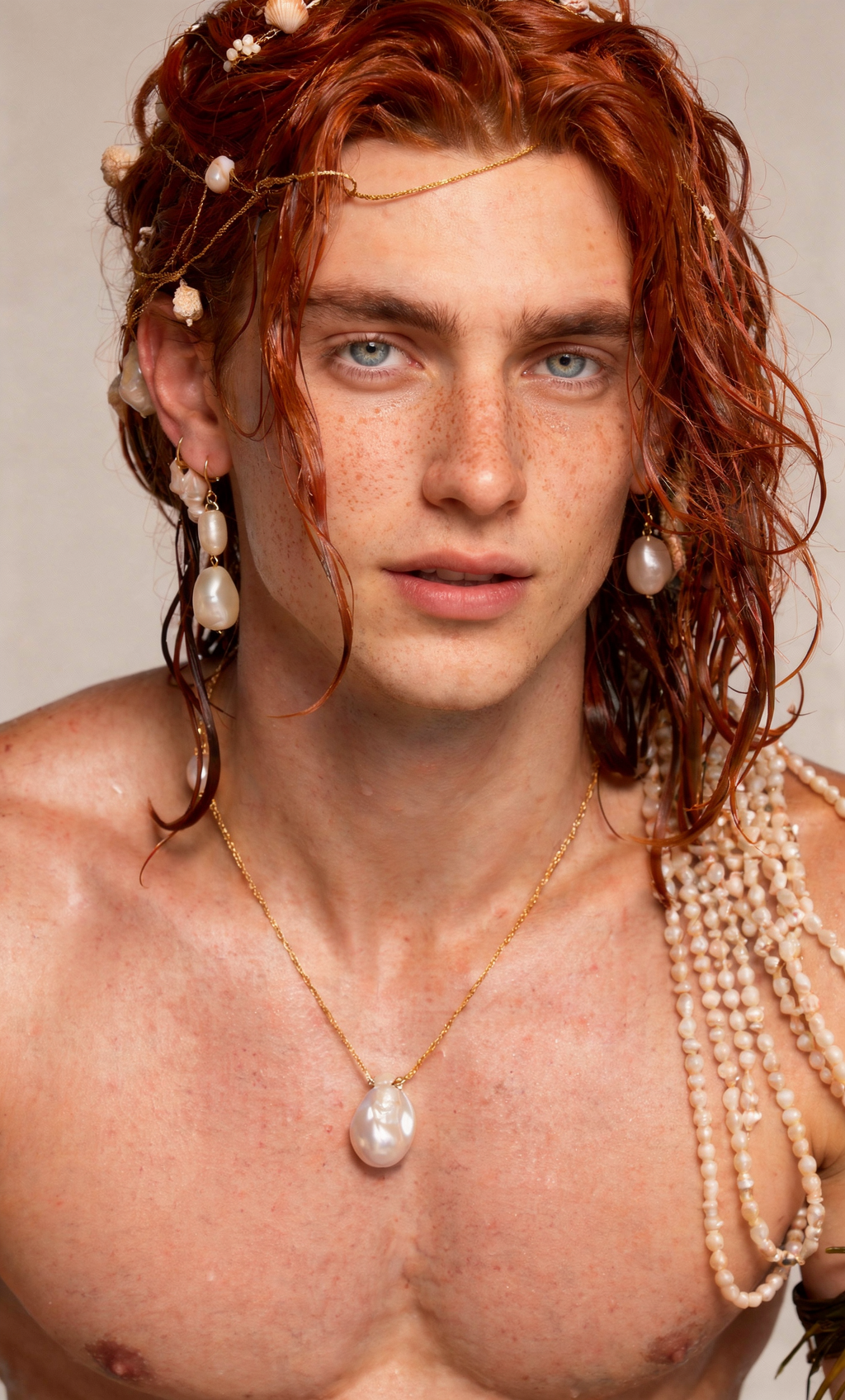
Flux.2 Pro — selected frontal view

  • Image generation
  • Success
Generated 1024×1696 Reference 1529×2048

Reference 1529×2048

Generated 1024×1696

Technical record

Not marked reproducible. Missing: Sampler, Steps, CFG, Seed.

Model

Company
Black Forest Labs
Version
.2 Pro
Access
Closed

Environment

Framework
ComfyUI
Credits
34
Processing time
34s

Selected output only. Other attempts and their seeds were not supplied. Provider backend unconfirmed; provider association omitted. The pending screenshot seed and price are not attributed to this selected file.

Selected from roughly 3–4 attempts for this angle. Credit cost is for 3.5 attempts

The author selected this result. Complexion varies across the set; frontal view is the base for further character development.

Attempt 09

Flux.2 Pro — selected three-quarter view (45°)

  • Image generation
  • Mixed
Generated 1024×1696 Reference 1529×2048

Reference 1529×2048

Generated 1024×1696

Technical record

Not marked reproducible. Missing: Sampler, Steps, CFG, Seed.

Model

Company
Black Forest Labs
Version
.2 Pro
Access
Closed

Environment

Framework
ComfyUI

Selected output only. Other attempts and their seeds were not supplied. Provider backend unconfirmed; provider association omitted. The pending screenshot seed and price are not attributed to this selected file.

Selected from roughly 3–4 attempts for this angle. Credit cost is for 3.5 attempts

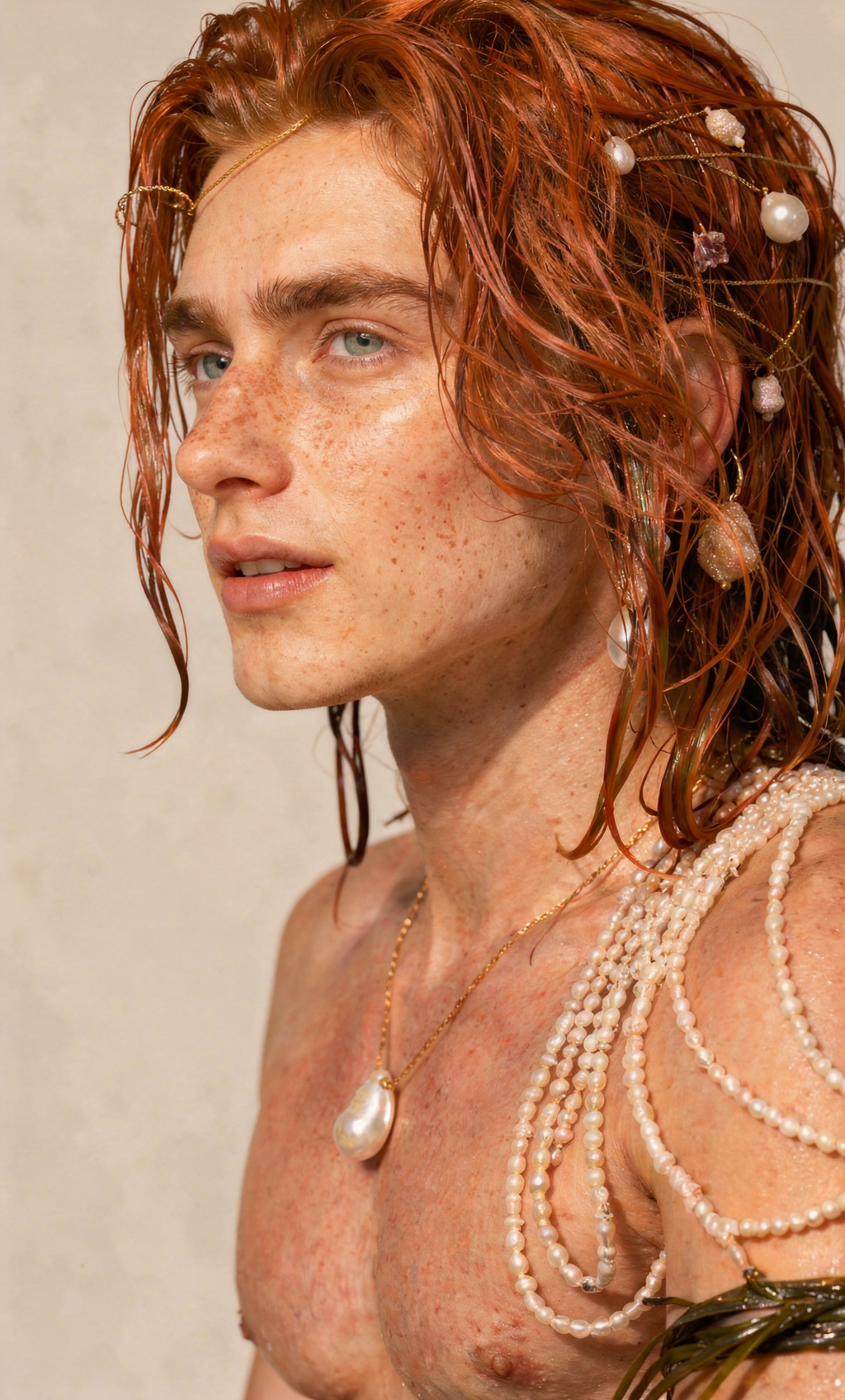
Selected result is nearer to profile but does not fully satisfy strict 90 degrees.

Attempt 10

Flux.2 Pro — selected near-profile (90° requested)

  • Image generation
  • Mixed
Generated 1024×1696 Reference 1529×2048

Reference 1529×2048

Generated 1024×1696

Technical record

Not marked reproducible. Missing: Sampler, Steps, CFG, Seed.

Model

Company
Black Forest Labs
Version
.2 Pro
Access
Closed

Environment

Framework
ComfyUI

Selected output only. Other attempts and their seeds were not supplied. Provider backend unconfirmed; provider association omitted. The pending screenshot seed and price are not attributed to this selected file.

// Dissection

The autopsy

Overall observations

Gemini: realism achieved, face negotiations ongoing

The upscale produced a larger image while keeping its painted appearance. More resolution alone was not going to turn those brushlike marks into believable skin.

Upscale this image to high resolution without changing its appearance.

The realism request was the substantial transformation. Hair, skin and jewellery became much more photographic. But the face changed too.

Make this a realistic image. Do not change the face, expression or background.

Gemini made his features rounder, more moderate and more balanced. I liked the more balanced nose, but his face had lost some of the original’s slender shape.

Make his eyes more striking.

Making his eyes more striking brought more colour and emphasis to them. Then I tried to recover the narrower face while keeping the nose.

Make his face slightly narrower and restore the original’s slender, angular cheekbones and tapered jaw. Keep his current nose exactly as it is. Preserve his eyes, expression, skin texture, hair, jewellery, lighting, background and framing.

And here began the chin saga. The face became narrower, but the chin became too strong. Asking for a softer, shorter chin led to further corrections about its height, projection, cleft and relationship to the mouth.

The correction prompts

Refine only his chin. Make it slightly shorter vertically, less projecting and softly rounded at the tip, with a delicate transition into his slender jaw. Preserve his current cheekbones, face width, nose, eyes and expression. Keep the rest of the image exactly as it is.

His chin should be much closer to his mouth, with a visible cleft and a sharper shape. His jaw angle looks strange now, too. His cheekbones are also too angular; make them a little softer.

His chin is still too far from his mouth. Make it shorter, and make the cleft in his chin shallower.

Reduce his chin height by 30%, bringing it closer to his lips. Do not change anything else.

Make it look like this, but realistic.

Make it look like this, but realistic.

These were subjective visual adjustments. Instructions such as “reduce the chin height by 30%” expressed the change I wanted; they were not precise measurements the model reliably applied. The last reference-led instruction was tried twice. The exact source references and image-to-prompt mapping for every intermediate correction have not yet been confirmed.

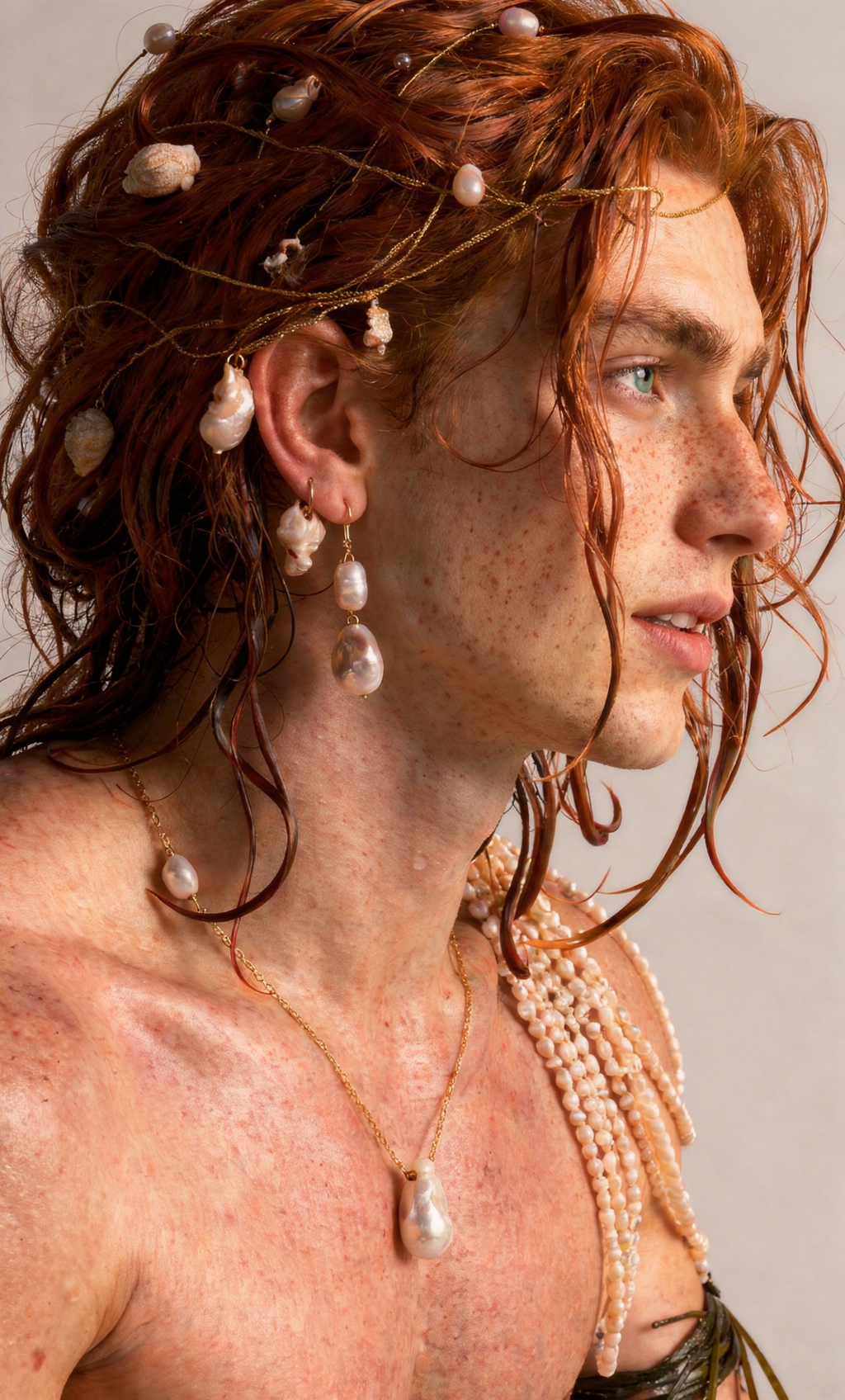
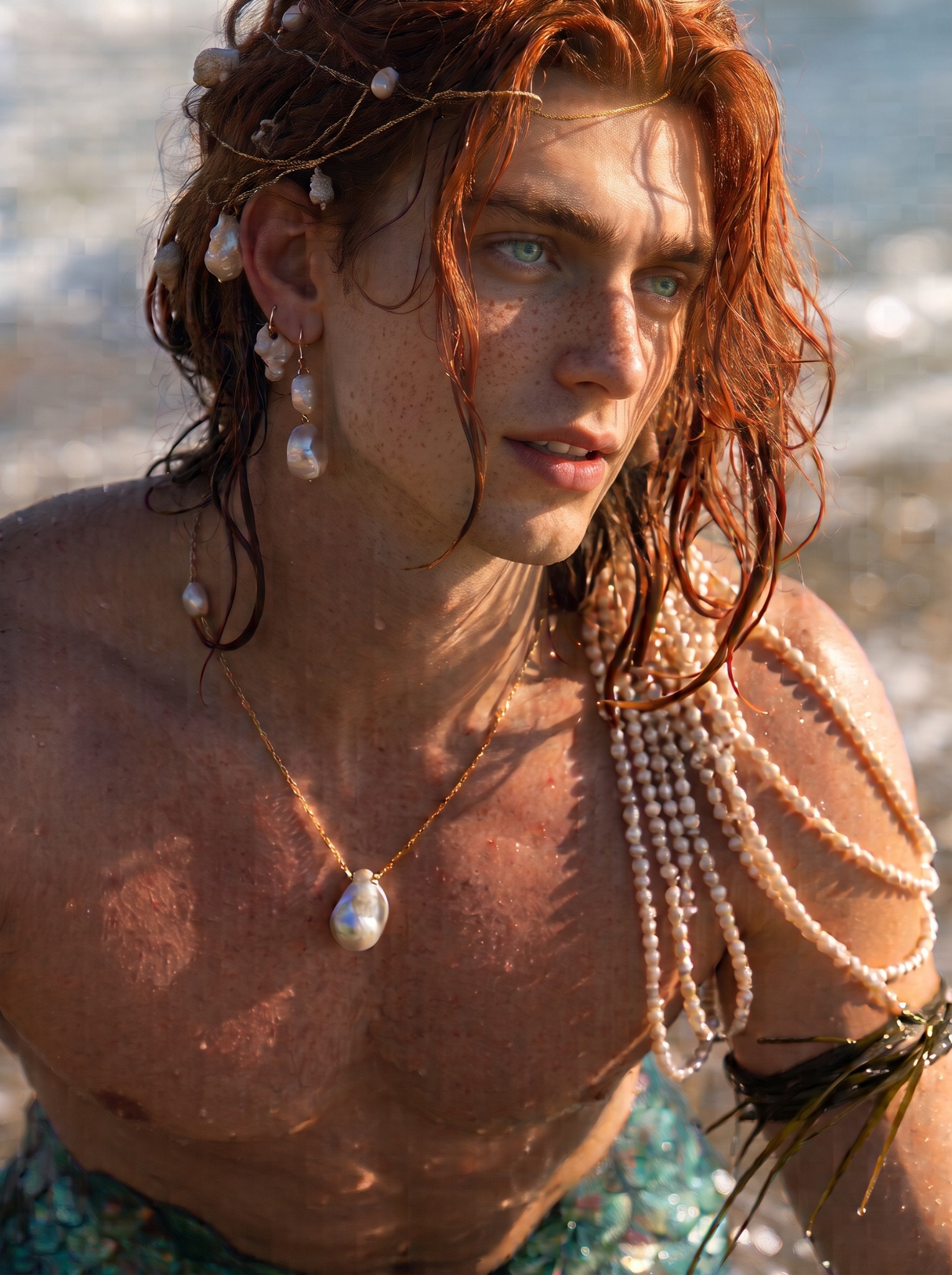
After several iterations, I had a version I wanted to carry forward. It retained the red hair, pearls and fantasy styling, with a slender face and a photographic finish. It had also evolved from the original MJ design. This was already character development, with decisions about which changes to accept.

Flux.2 Pro: can he survive another angle?

I used the selected Gemini image as the reference for Flux.2 Pro in ComfyUI, requesting frontal, 45-degree and 90-degree studio views against a plain light background. Each prompt includes “Use the same eye colour.” The full prompts accompany the selected generations below.

I generated roughly three to four attempts for each angle and selected the strongest results. These are curated outputs, not first-try successes. Only the selected Flux results are included here; the unused attempts were not supplied.

The selected views carry enough shared features for me to develop Arian further. Jewellery arrangements vary, the expression remains slightly open-mouthed, and the selected profile does not fully achieve the strict 90-degree turn requested.

Every model leaves its own doll face behind

Each model contributes its own interpretation of the face, even when asked to preserve it. In this sequence, Gemini rounded and balanced the original painterly design. Flux tended to narrow the face again. To my eye, those influences partly balanced each other out in the selected results.

That does not make it a reliable formula for every image. In this rescue, I could work with those tendencies and select a result I liked. My job was to notice what changed and decide whether it helped.

What worked

The workflow took a visibly painterly MJ candidate into photographic portraits I can use as a starting reference set. Arian kept his strongest visual identifiers: copper-red hair, pale green eyes, freckles, pearls and delicate gold jewellery.

Moving him onto a plain background made his face easier to assess without the tidal pool and dramatic sunlight doing so much of the work. The useful outcome came from iteration and selection across the whole process.

What failed

Facial proportions were the biggest headache. Fixing face width affected the jaw and chin; fixing the chin required more attempts. “Do not change anything else” did not guarantee an isolated edit.

Complexion and fine jewellery details vary between views. Requesting a specific angle did not guarantee exact compliance. Several intermediate edits lack a confirmed output-to-prompt match, so those images are not presented as verified individual attempts.

// Before the next run

Production implications

I would use the frontal portrait as the primary base for developing Arian further and bring the complexion in the other references into line with it. I would settle the jewellery design and obtain a cleaner side profile if the next stage needed one.

The next tests would be new scenes, expressions and lighting. Generating alternatives and choosing between them is part of the production cost. The full monetary cost was not recorded here; the screenshot’s pending run price is not treated as a verified total.

// Final assessment

The verdict.

Overall, I’m happy with the designs. The complexion varies a little between views, but I’d use the frontal portrait as the base for developing Arian further and bring the other references into line with it.

Midjourney gave me the initial design, Gemini helped translate it into realism, and Flux.2 Pro produced the reference views. Each model influenced his appearance, and getting here took corrections, roughly three to four attempts per Flux angle, and selection.

For me, the rescue worked: I now have a character I want to keep developing.

Fit for my production workflow

// COMMENTS

Comments

No comments yet.

Bold, italic, code, lists, and links. No images.

Search the archive

Search cases, notes, rants, and models.